End users rarely see DevOps at work. And yet it quietly shapes how often updates ship, how fast errors get caught, how tightly access is secured, and how quickly service comes back after something breaks.
It's not just about installing Docker or Kubernetes. At its core, DevOps brings development and operations closer together through shared practices, automation, and shared accountability.
Continuous Integration: Checking Every Change
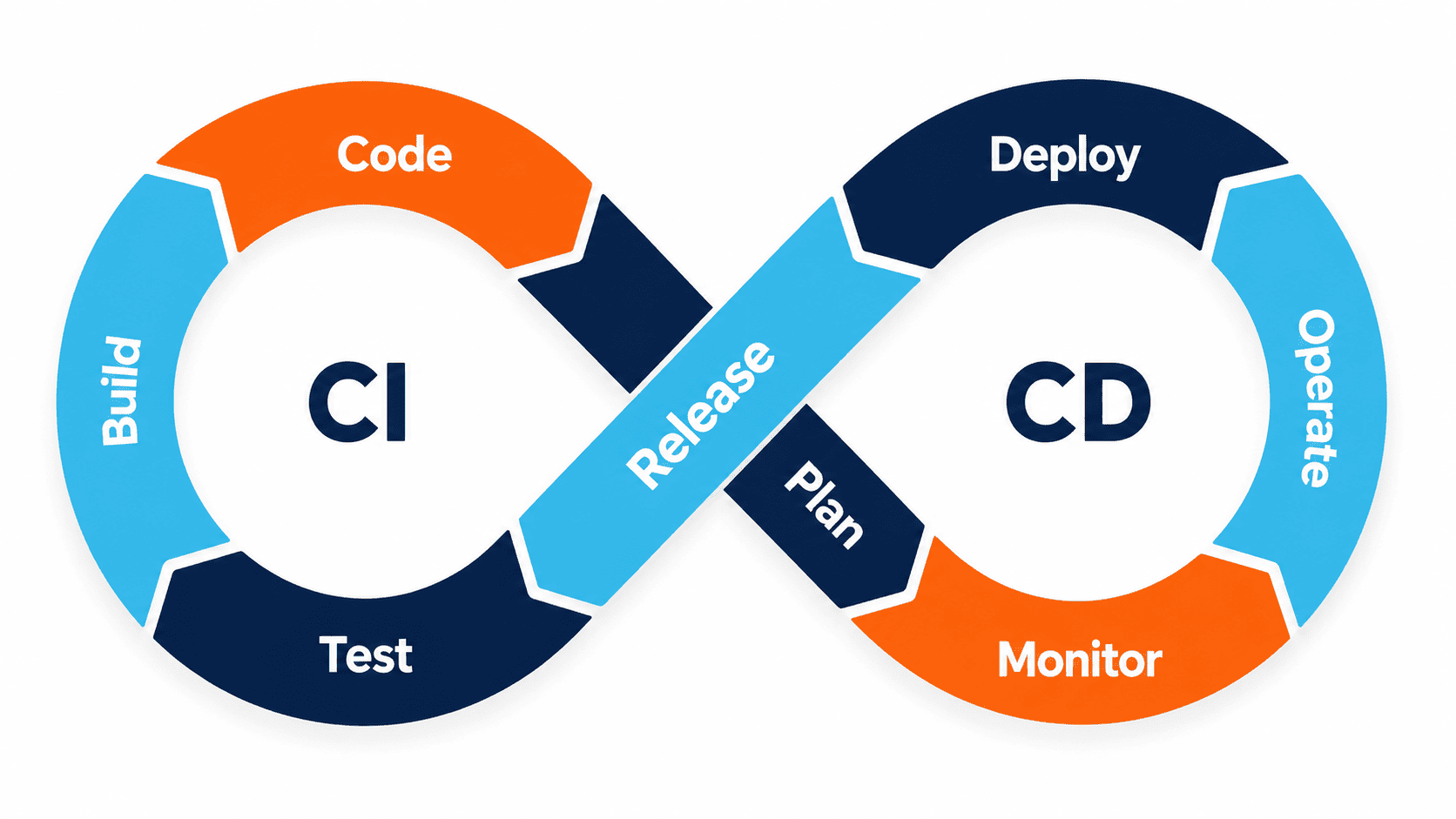
Continuous integration, or CI, means merging code into a shared repository frequently and automatically running checks against it every time.
Depending on the project, a pipeline might:
- install dependencies;
- check code formatting and quality;
- run unit and integration tests;
- build the application;
- scan dependencies;
- produce a versioned image or build artifact.
The point was never to pretend no bug will ever reach production — that's not realistic. It's to catch known issues quickly and make every change reproducible.
Continuous Delivery vs. Continuous Deployment
These two terms get mixed up constantly.
- Continuous delivery: every version that passes checks is ready to deploy, but a person still decides when it actually goes live.
- Continuous deployment: every change that passes checks goes live automatically, no human step in between.
Continuous deployment isn't mandatory, and it shouldn't be treated as the finish line. A regulated application, a database migration, or a sensitive business operation might genuinely need someone to sign off first. The goal is to automate the repetitive parts while keeping the checks that match your actual risk level.
What Does a CI/CD Pipeline Actually Look Like?
| Stage | What Gets Checked | Expected Outcome |
|---|---|---|
| Code submitted | Review and quality rules | A change that's understandable and approved |
| Build | Dependencies and compilation | A reproducible build artifact |
| Testing | Automated tests | Known regressions caught early |
| Security | Dependencies, secrets, and configuration | Blocking risks flagged before they ship |
| Staging | Deployment and functional tests | A version validated in a near-production environment |
| Production | Approval or automation | A traceable version goes live |
| Post-deployment | Health checks, logs, and metrics | Incidents get caught, and rollback stays possible |
Docker: Making Environments Reproducible
A container bundles an application together with everything it needs to run. That approach shrinks the gap between what runs on a developer's laptop, what runs in testing, and what actually runs in production.
Docker is genuinely useful for a lot of projects, but it doesn't replace:
- secure configuration;
- proper secrets management;
- backups;
- staying on top of updates;
- monitoring;
- an actual hosting strategy.
A poorly built image or a misconfigured container is still a bad production deployment — Docker alone won't fix that.
Kubernetes: Useful, But Only in the Right Context
Kubernetes orchestrates containerized applications and handles deployment, scaling, and service management. That power comes at a cost: infrastructure, configuration, security, observability, and the operational know-how to run it all properly.
It can be a great fit for a platform made up of multiple services, one with strict uptime requirements, or a team that already has orchestration expertise in place. For a simpler application, though, a managed platform, a container service, or a well-run server is often cheaper and, frankly, more reliable.
The best infrastructure is the simplest one that genuinely gets the job done.
Deployment Alone Isn't Enough
A reliable pipeline needs a few other practices working alongside it.
Rollback
A rollback procedure lets you fall back to a previous version if a new deployment causes problems. It needs to actually be tested — especially whenever the data structure changes, since that's where rollbacks tend to get complicated.
Observability
Logs, metrics, and traces help you understand what's actually happening under the hood. Alerts should map to symptoms that actually matter: errors, downtime, resource saturation, or a critical user flow breaking down.
Backup and Restore
A backup is only as good as your ability to restore it. Nail down how often you back up, how long you keep backups, how they're protected, and how regularly you test the restore process itself.
Security
Access should always follow the principle of least privilege. Secrets have no business living in your codebase. Dependencies, images, and configurations all need to be scanned and kept up to date.
What Clients Should Be Asking
Before launch, ask:
- Where do the code and pipelines actually live?
- Which tests can block a release?
- Who has the ability to deploy to production?
- How are secrets managed?
- How do you roll back to a previous version?
- What metrics trigger an alert?
- Have the backups actually been tested through a real restore?
- Who responds when something breaks?
Getting clear answers to these turns operational quality into something visible and contractual, rather than a vague promise.
MONARK IT tailors its DevOps practices to the criticality and scale of each product, as part of its custom web development projects. You can also check out the full steps of a web development project.