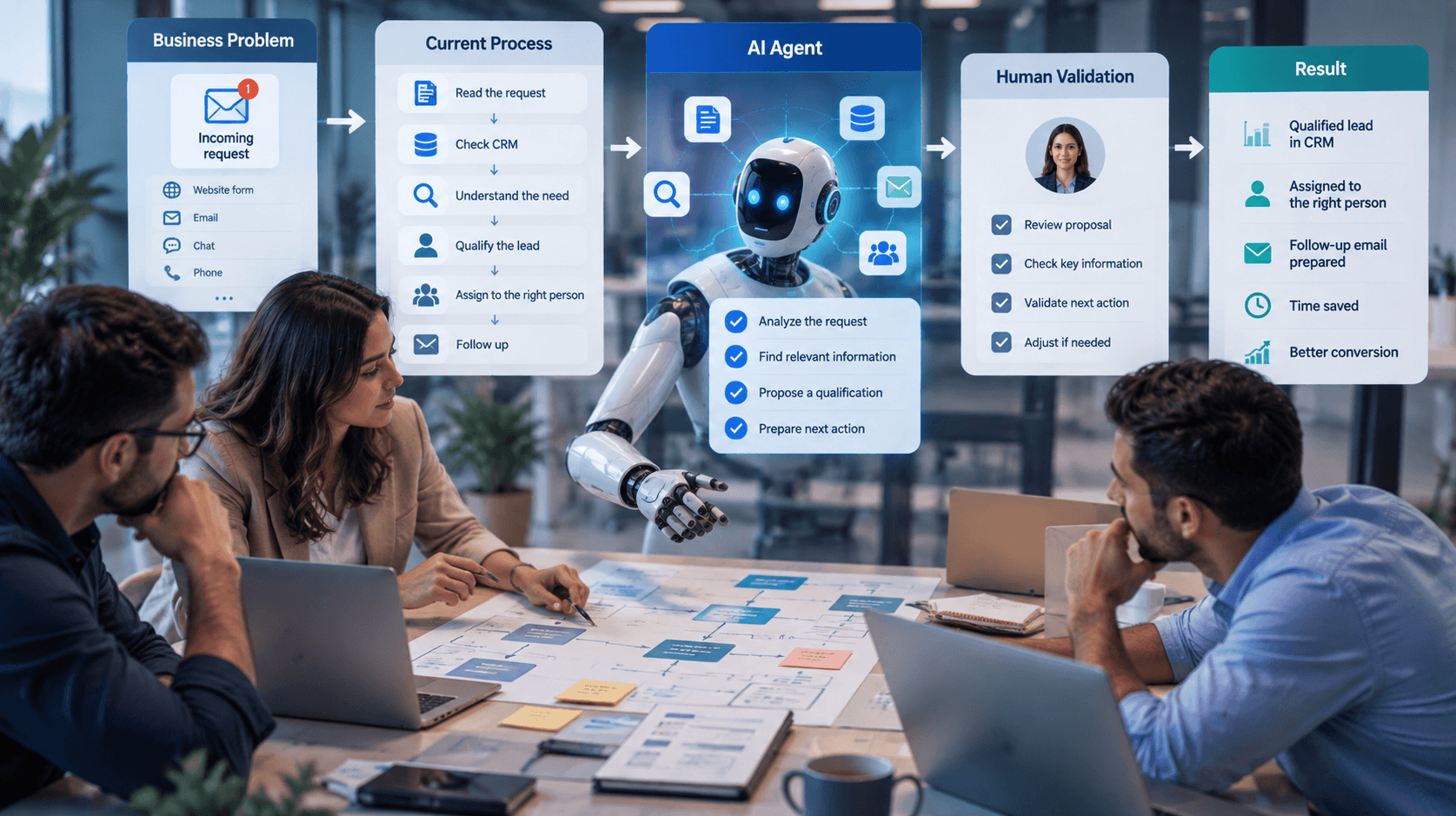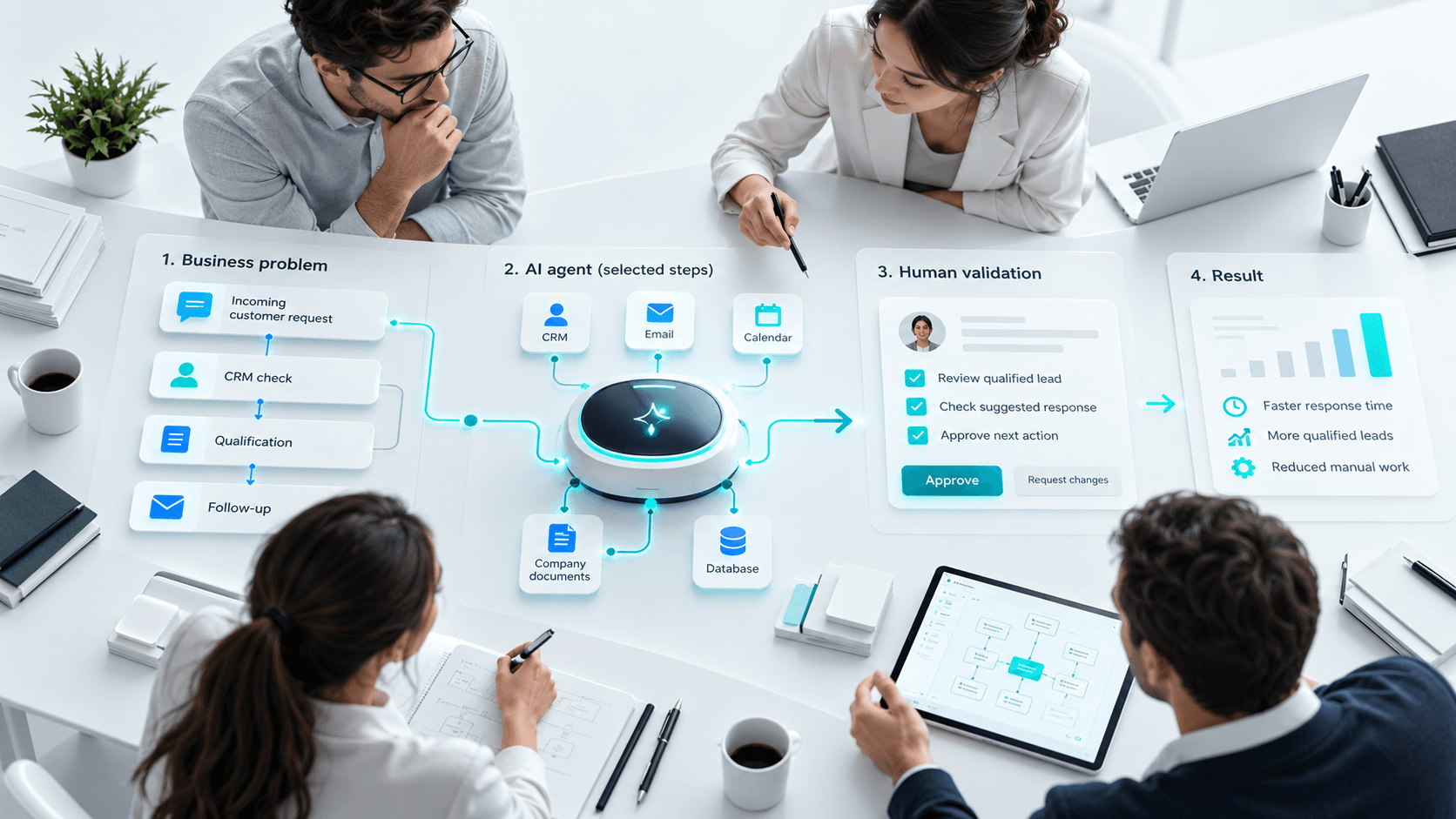
AI agents are becoming increasingly common in professional tools. But the term can refer to very different things.
An assistant such as ChatGPT, Gemini or Claude can answer questions and perform many tasks. An AI agent goes further: it can use data, interact with tools and perform several actions to reach a goal.
This guide explains what an AI agent is, how it works, how it differs from an assistant or chatbot, its practical uses, its limits and the main costs involved.
What is an AI agent?
An AI agent is a system that can receive a goal, understand a situation and use information or tools to perform one or more actions.
Let’s take a simple example.
A prospect writes:
“I would like a CRM demo for a team of 20 salespeople.”
An AI agent could:
- understand that this is a sales request;
- identify the product and team size;
- check whether the contact already exists in the CRM;
- create or update the lead;
- prepare a task for a salesperson.
The agent does not simply generate a response.
It follows a process:
Goal → Understanding → Data → Tools → Action → Verification
From LLM to AI agent
An LLM, or Large Language Model, is a model designed to understand and generate language.
Assistants such as ChatGPT, Gemini or Claude use this type of model to write, summarize, analyze or answer questions.
But an LLM alone does not automatically have access to a company’s tools.
An agent adds this capability.
A simple way to understand it is:
LLM → AI Assistant → AI Agent
The LLM understands and generates.
The assistant helps the user.
The agent can also use tools and take action.
How does an AI agent work?
The exact setup depends on the project, but the general principle is usually the same.
1. Understand the goal
The agent analyzes the request and identifies what the user wants to achieve.
2. Retrieve the right information
It can access a document library, CRM, database or business application.
3. Choose an action
Based on the information available, it determines the next step.
4. Use a tool
It may create a task, update data or prepare a message.
5. Verify or request approval
For some actions, human intervention is still necessary.
An agent does not need to be fully autonomous to be useful.
What are the components of an AI agent?
An agent usually relies on a few key elements:
- an AI model to understand and generate;
- instructions that define its role;
- knowledge or business data;
- tools such as a CRM, email system or API;
- permissions that limit what it can do;
- human supervision when needed.
The quality of an agent depends as much on these rules and data as on the AI model itself.
AI agent vs AI assistant vs chatbot
These terms are often confused.
| Solution | Main role | Example |
|---|---|---|
| LLM | Understand and generate content | Language model |
| AI Assistant | Help with different tasks | ChatGPT, Gemini, Claude |
| Chatbot | Communicate with a user | Support chatbot |
| AI Agent | Understand a goal and act using tools | Sales agent |
| Business AI Agent | Work within a specific process | Agent connected to CRM or ERP |
A chatbot can answer questions without being an agent.
An agent can also work in the background without directly speaking to a user.
Not every chatbot is an AI agent, and not every AI agent is a chatbot.
The three main categories of AI agents
| Category | What it is used for | Examples |
|---|---|---|
| General-purpose assistants and agents | Help users research, write, analyze documents or generate ideas. | ChatGPT, Gemini, Claude |
| Coding agents | Read code, suggest changes, generate tests, analyze errors and assist with documentation. | Claude Code, Gemini CLI, coding agents |
| Custom business AI agents | Perform a specific process using company data and tools. | Agent connected to a CRM, ERP, website, HR system or business application |
Key point: a business AI agent does not need to do everything. It is often more effective when designed for one specific mission, with clearly defined tools and rules.
What can an AI agent actually do?
Use cases depend on the business.
- Sales agent: qualify a request and prepare the follow-up.
- Support agent: search for a procedure and prepare a response.
- HR agent: help process information related to recruitment.
- Project agent: prepare a summary of tasks, risks or blockers.
- Content agent: follow a workflow such as:
Topic → Research → Outline → Draft → Review → Approval
The difference with traditional automation is important:
- Traditional automation: if A happens → do B.
- AI agent: understand A → choose an action → use a tool → verify → continue.
What AI agents still do not do perfectly
An agent can make mistakes.
It may misunderstand a request, use incomplete information or produce an incorrect answer.
This includes hallucinations, where a model generates information that sounds plausible but is false.
Not every mistake has the same impact.
An error in a content draft is less critical than an error involving a payment, contract or HR decision.
The level of control should therefore match the level of risk.
Is an AI agent really autonomous?
Autonomy is not all or nothing.
An agent may simply suggest an action.
It can also perform some simple tasks automatically while requesting approval for sensitive actions.
For very well-defined processes, it can be given more autonomy.
The right question is therefore not:
“Can the agent be fully autonomous?”
But rather:
“What level of autonomy is reasonable for this task?”
How much does an AI agent cost?
The cost mainly depends on the need, the tools to connect, the level of autonomy and the complexity of the project.
A simple prototype may cost a few thousand euros.
A business agent connected to several tools may cost more depending on integrations, security and the rules involved.
Recurring costs should also be considered: AI model usage, hosting, monitoring and maintenance.
The simplest approach is to start with one specific and limited use case, then expand gradually.
When is an AI agent really useful?
Not every task requires an agent.
Traditional automation is often better when the process is completely predictable.
An agent becomes more relevant when it needs to:
- understand unstructured information;
- interpret context;
- choose between several actions;
- access several tools;
- adapt the next step in the process.
A simple question can help:
Does this task currently require a person to understand a situation before deciding what to do next?
If yes, an AI agent may be worth considering.
Where should you start?
Start with one specific mission.
For example:
“Analyze new sales requests and prepare their qualification.”
Then follow these steps:
- Define the required data the agent needs to operate.
- Identify the tools it can access such as CRM, email or databases.
- Define the allowed actions and their limits.
- Add human approval for sensitive actions.
- Test the agent on real cases.
- Analyze mistakes and results.
- Improve the instructions and adjust the settings.
- Expand the scope gradually based on the results.
This is often how a prototype becomes a real business tool.
Conclusion
An AI agent goes beyond a simple chatbot or assistant: it can understand a situation, use tools and perform actions to achieve a goal.
But it does not need to be fully autonomous to be effective.
A good agent depends on a clear need, reliable data, appropriate permissions and supervision that matches the level of risk.
To get started: start small, test on a real process and gradually increase autonomy.
In the next guide, we will look at how to define your first AI agent and choose a business use case that is genuinely useful.
FAQ about AI agents
1. What is an AI agent?
An AI agent is a system that can understand a goal, use information or tools and perform one or more actions.
2. What is the difference between an AI agent and ChatGPT, Gemini or Claude?
These tools are general-purpose AI assistants. An AI agent is usually designed around a specific goal and can be connected to business tools to perform actions.
3. What is the difference between a chatbot and an AI agent?
A chatbot is mainly designed to communicate. An AI agent can also use tools, process information and take action.
4. Can an AI agent work on its own?
Yes, for some simple and low-risk tasks. For sensitive actions, human approval is usually preferable.
5. Why can an AI agent hallucinate?
Because a language model can generate information that sounds plausible but is incorrect when it lacks context or misinterprets the available data.
6. How much does an AI agent cost?
A prototype may cost a few thousand euros. A business agent integrated with several systems can become a much larger project.
7. Can an AI agent connect to a CRM or ERP?
Yes, if these tools provide APIs or other integration methods that allow the agent to read or update authorized information.
8. Which AI agent should a company start with?
Start with a frequent, repetitive and clearly defined task with limited risk. This makes it easier to measure the real value of the agent.