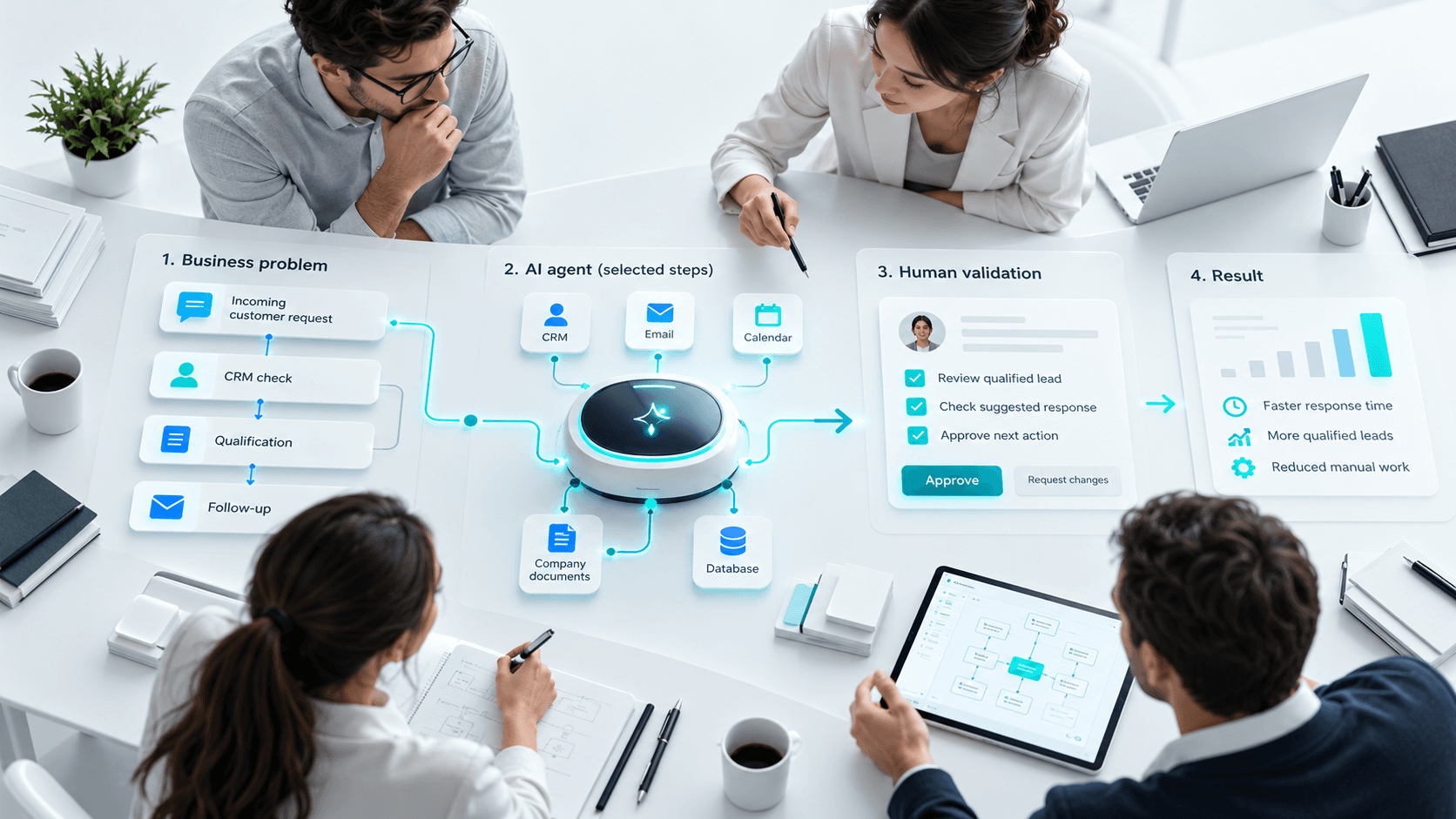
Bolting AI onto a web application isn't the same as bolting on a generic chatbot. A project that's actually worth building starts with a specific task, accessible data, and a result the business can genuinely measure.
AI can speed up research, support a decision, or automate part of a process. It can just as easily produce an incorrect answer, expose data it shouldn't, or end up costing far more than expected if it's deployed without the right guardrails.
So the right question was never "which model should we use?" It's "what problem are we actually trying to solve, and how much risk are we willing to take on?"
Use Cases Where AI Genuinely Fits
Searching Through Documentation
An assistant can dig through procedures, contracts, product sheets, or technical documents and pull together a contextualized answer. To stay trustworthy, it needs to cite its sources, respect access permissions, and be willing to say when it simply doesn't have enough evidence to answer.
Supporting Customer Service
AI can classify a request, draft a response, summarize a conversation history, or point a user toward the right process. For anything sensitive, human review or an escalation to a real agent still needs to be part of the picture.
Processing Documents
Invoices, forms, and reports can be analyzed to extract fields, flag inconsistencies, or prep data for entry. The system doesn't just get more accurate on its own over time — someone has to collect the errors, review them, and refine the rules, data, or model based on what's actually going wrong.
Qualification and Automation
A system can enrich a lead, sort incoming requests, draft a summary, or trigger a workflow. Anything that changes data, spends money, or communicates directly with a customer needs to be locked down with the right permissions and approval steps.
Supporting Decision-Making
AI can distill a large volume of information or surface patterns a person might miss. But it shouldn't hide the data it drew from, the limits of its own analysis, or the fact that the decision — and the responsibility for it — still belongs to a human.
When AI Isn't the Right Call
A deterministic business rule, a standard search, or straightforward automation is often simpler, more predictable, and cheaper than reaching for a generative model.
Skip the generative model if:
- the output needs to be exact every single time;
- a clear rule already solves the problem on its own;
- there's no representative data available to work with;
- the business can't actually review sensitive outputs before they go out;
- the cost of a mistake far outweighs any benefit the tool provides;
- no team is in a position to actually monitor the system once it's live.
AI is meant to complement a well-designed architecture, not stand in for one.
Risks to Address at the Scoping Stage
| Risk | Question to Ask | Possible Safeguard |
|---|---|---|
| Incorrect answers | How will we catch an error? | An evaluation set, cited sources, confidence thresholds, human review |
| Sensitive data | What data gets sent, and where does it go? | Data minimization, masking, access control, vendor contracts |
| Unauthorized actions | What can the agent actually do? | Limited permissions, confirmation steps, logging |
| Runaway costs | What volume and complexity of requests are we dealing with? | Budgets, caching, rate limits, usage tracking |
| Attacks or misuse | Can a user manipulate the instructions? | Input filtering, tool isolation, security testing |
| Vendor lock-in | Can we switch models or providers later? | An abstraction layer, data exports, a reversible architecture |
A Six-Step Method
1. Define a Measurable Outcome
Pick a concrete task: cutting down document search time, pre-filling a form, or improving how requests get triaged. Measure where things stand today before you touch anything.
2. Review the Data and Who Can Access It
Map out your sources — their quality, who owns them, and who's actually allowed to see them. An inconsistent knowledge base will produce inconsistent answers no matter which model sits behind it.
3. Prototype the Riskiest Part of the Journey
Test against a representative sample, including the hard cases, not just the easy ones. A prototype's job is to prove real value — not just to show that a model can generate a response.
4. Build a Real Evaluation Set
Put together expected examples and clear criteria: accuracy, usefulness, whether a source is cited, appropriate refusals, response time, and cost. Re-run these tests every time the model, the instructions, or the underlying data changes.
5. Set the Guardrails
Limit what data the system can access and what actions it can actually take. Add human review anywhere an error could affect a customer, a major decision, sensitive data, or a transaction.
6. Roll Out Gradually
Start with a pilot group, keep a close eye on errors, and keep a fallback ready in case you need to revert to the previous process. Scaling it up for real means logs, alerts, security, budgets, and actual governance — not just flipping a switch.
How to Choose the Right Technology
Which model makes sense depends on language, content type, confidentiality requirements, latency, cost, and hosting constraints. A bigger model isn't automatically the better choice.
Compare a few options against your own evaluation set rather than taking a vendor's word for it. And keep your business logic, permissions, and monitoring separate from the model itself — that's what lets you swap technology later without rebuilding everything from scratch.
MONARK IT supports the scoping, prototyping, and integration of AI solutions into business applications and workflows. Our guide on the steps of a web development project pairs well with this method.